- by
- 2025-07-27 17:11:30
-

-
-
Loading
Loading
Loading
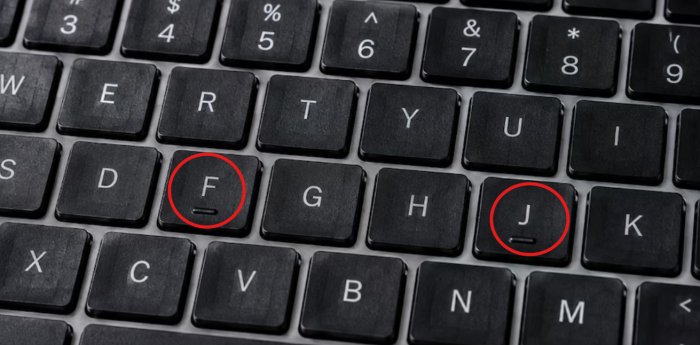
Whether using a desktop or a laptop, those who work on computers daily—and for whom the keyboard is a constant companion—may have noticed a specific mark on two of the keys. Many have seen these marks on the 'J' and 'F' keys. Some might mistake them for a manufacturing error, while others assume it is merely a design choice for aesthetic appeal.
In reality, these marks are included to facilitate "touch typing." The 'F' and 'J' keys serve as anchor points; by placing the index fingers of both hands on them, the remaining fingers can be positioned correctly to operate the other keys. Fingers naturally rest on the A, S, D, F and J, K, L, ; keys when following proper typing technique.
These two keys enable users to type quickly and accurately while looking directly at the screen, without needing to glance at the keyboard. Even visually impaired individuals can rely on these two keys to position their hands correctly and use the keyboard with ease.